A track-finishing tool for music producers.
OnCue sits alongside your DAW: plan the track, get AI creative help, and turn scattered feedback into finished tracks.
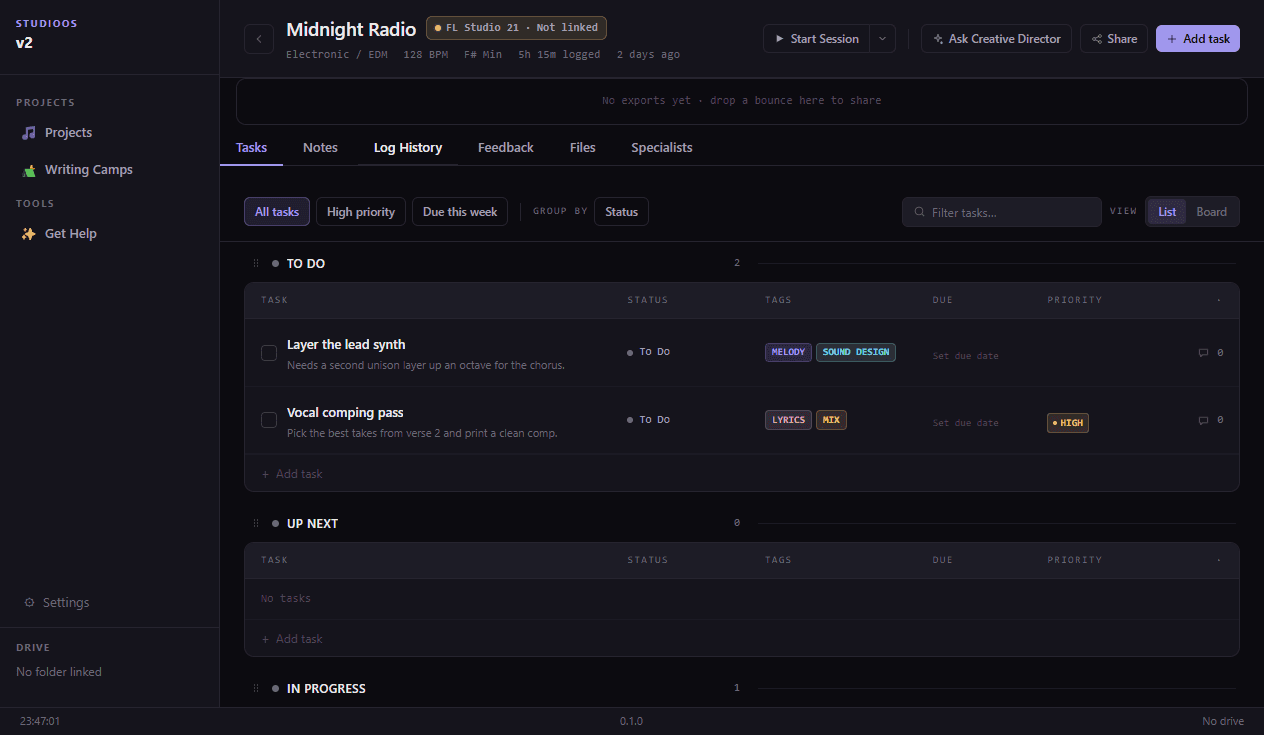
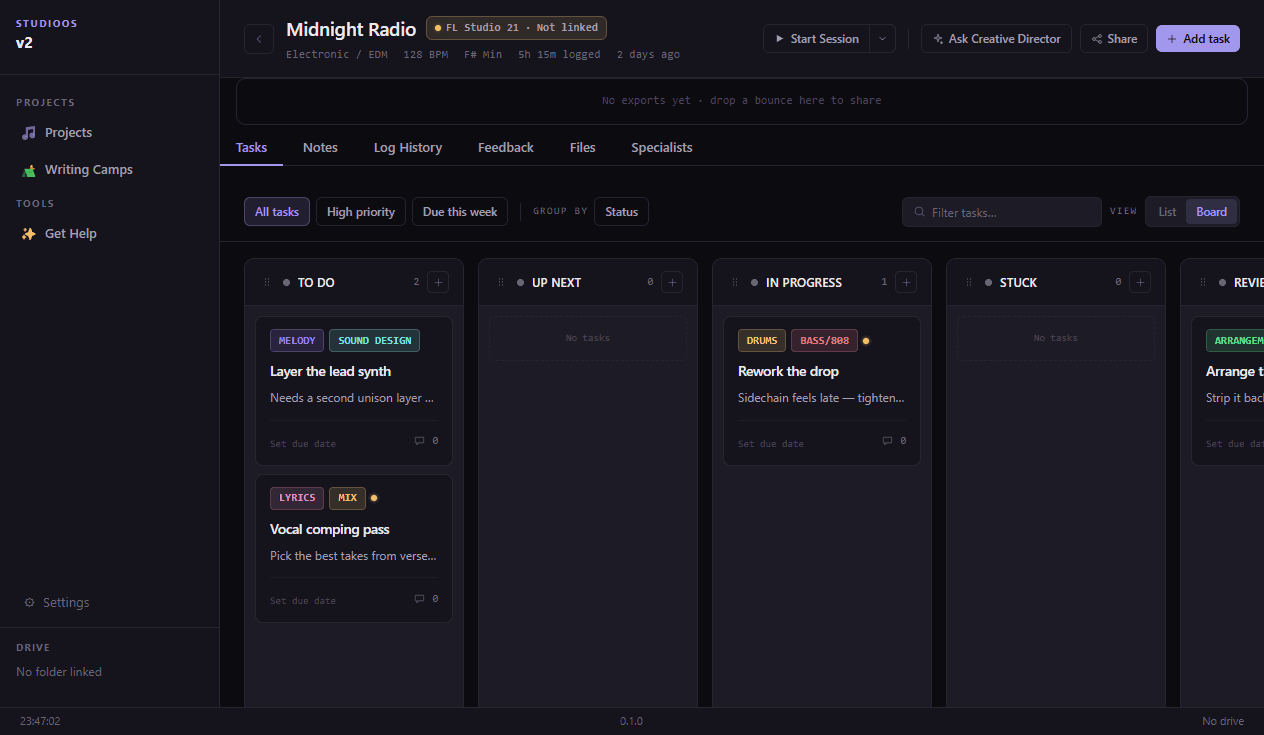
Project management built for the studio, not the boardroom.
OnCue is a project management tool made specifically for music producers, audio engineers, and studios, not a generic task tracker retrofitted for creative work. Tasks get tagged by craft (melody, drums, mix) instead of department, and progress tracks by track instead of sprint. It works just as well for a solo producer finishing a beat as it does for a studio team juggling several projects at once.
Melody, drums, mix, lyrics, sound design: organize work by what it actually is, not a generic label.
Works for a solo bedroom producer just as well as a studio moving several projects at once.
A running log of what got done, when, and for how long, so you're never guessing where a project left off.
Ideas scattered across folders, feedback buried in DMs, no way to tell what’s actually done. OnCue gives every track a home, from first idea to final bounce.
Tasks organized by what they're for.
Tag every task by craft (Melody, Drums, Mix, and more) so your list stays organized, and each tag links straight to the AI specialist who can help with it.
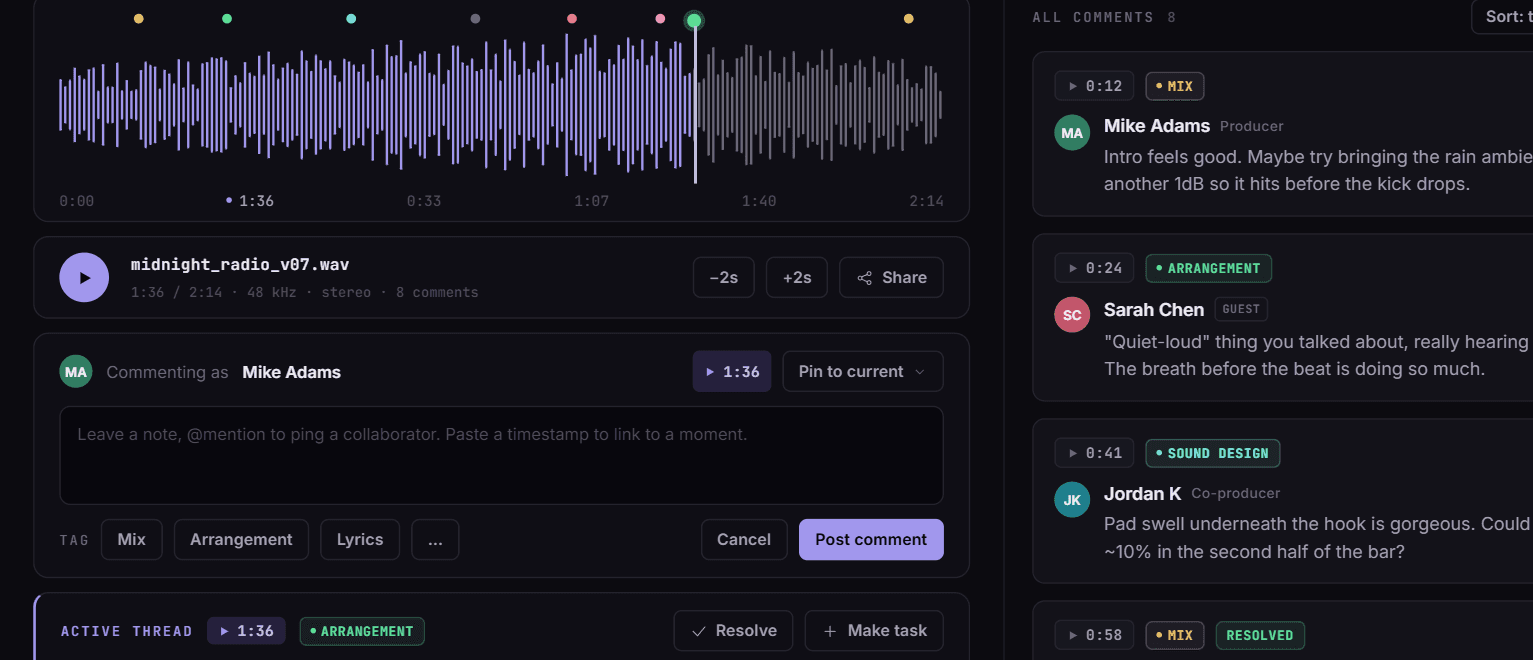
Feedback that lives on the waveform.
Share a link, collaborators comment right on the track. No account needed.
Nine AI specialists who know your genre.
A Creative Director plus specialists for Melody, Mix, Lyrics, and more, each aware of your project's genre, tags, and notes. Ask a question, get a real answer, keep working.
See how they work →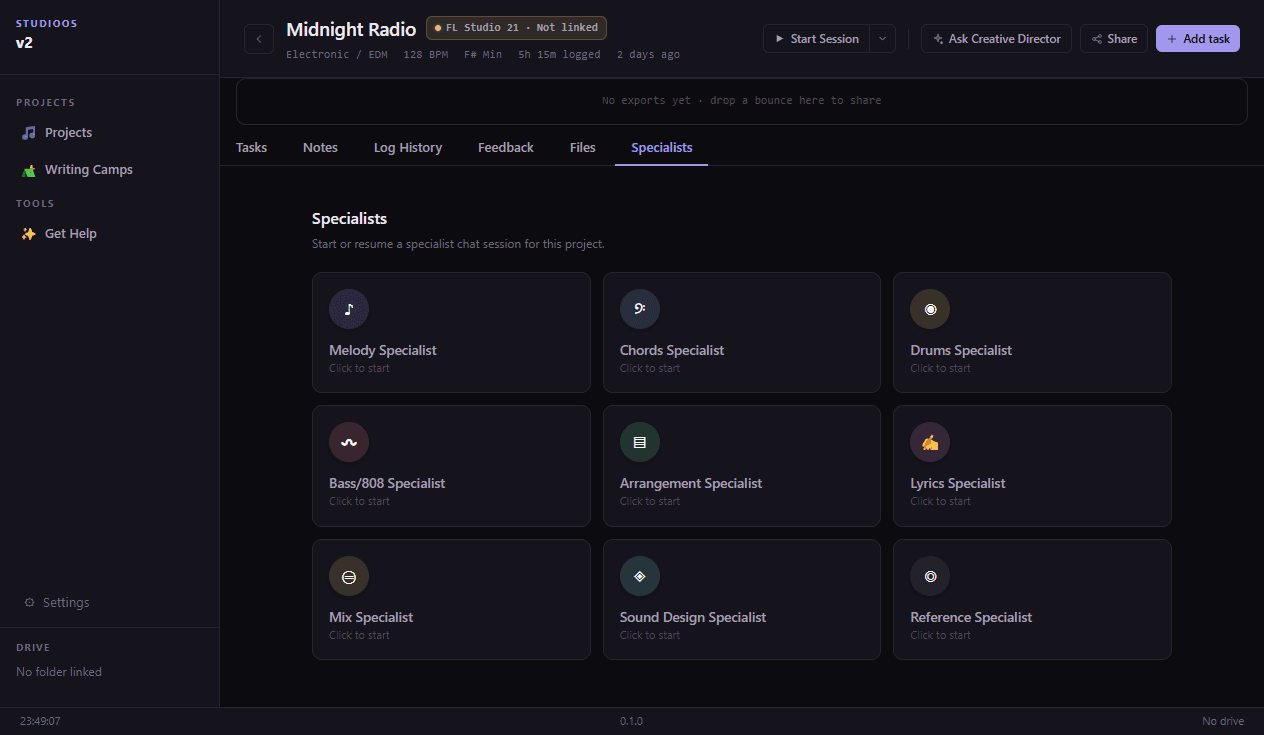
Structure for finishing.
Writing Camps and SMART Goals turn momentum into finished tracks.
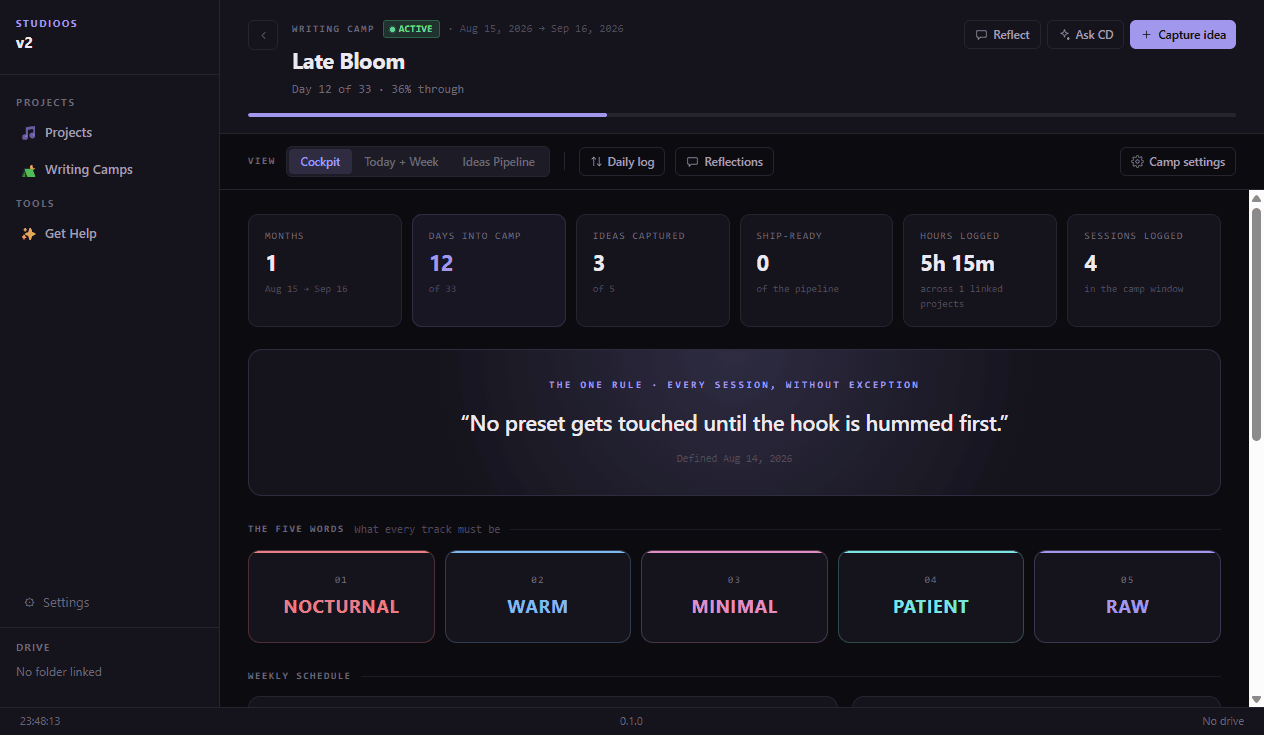
Studio housekeeping, automated.
Session logs and Drive/folder sync happen quietly in the background.
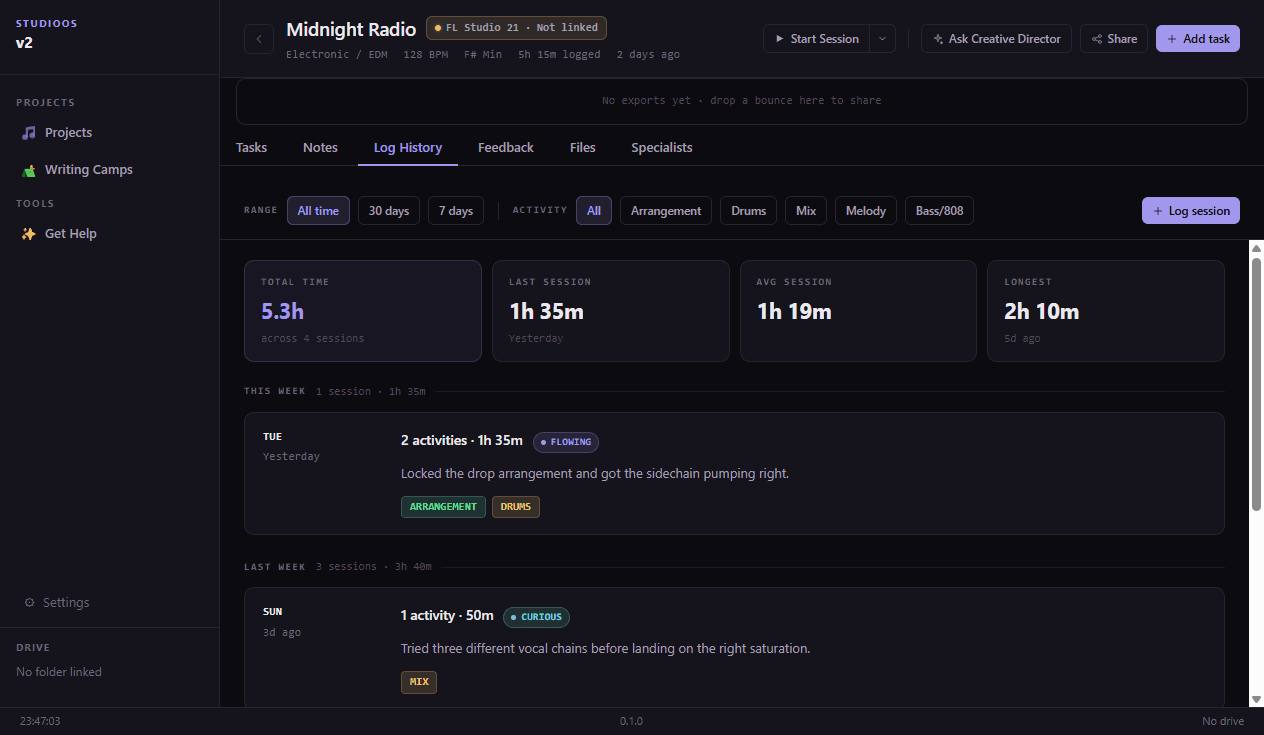
Share a link. Get real feedback. Finish the track.
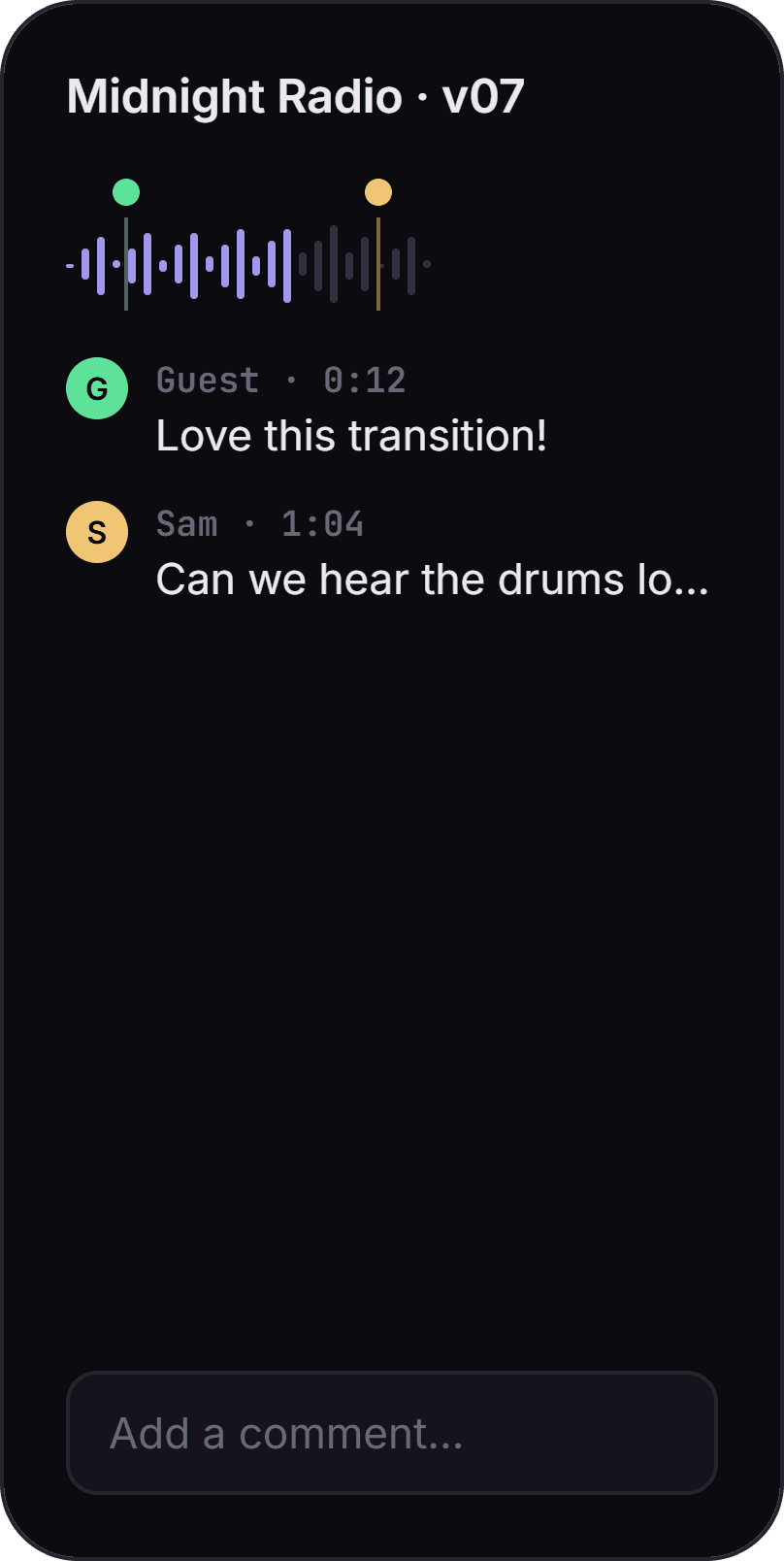
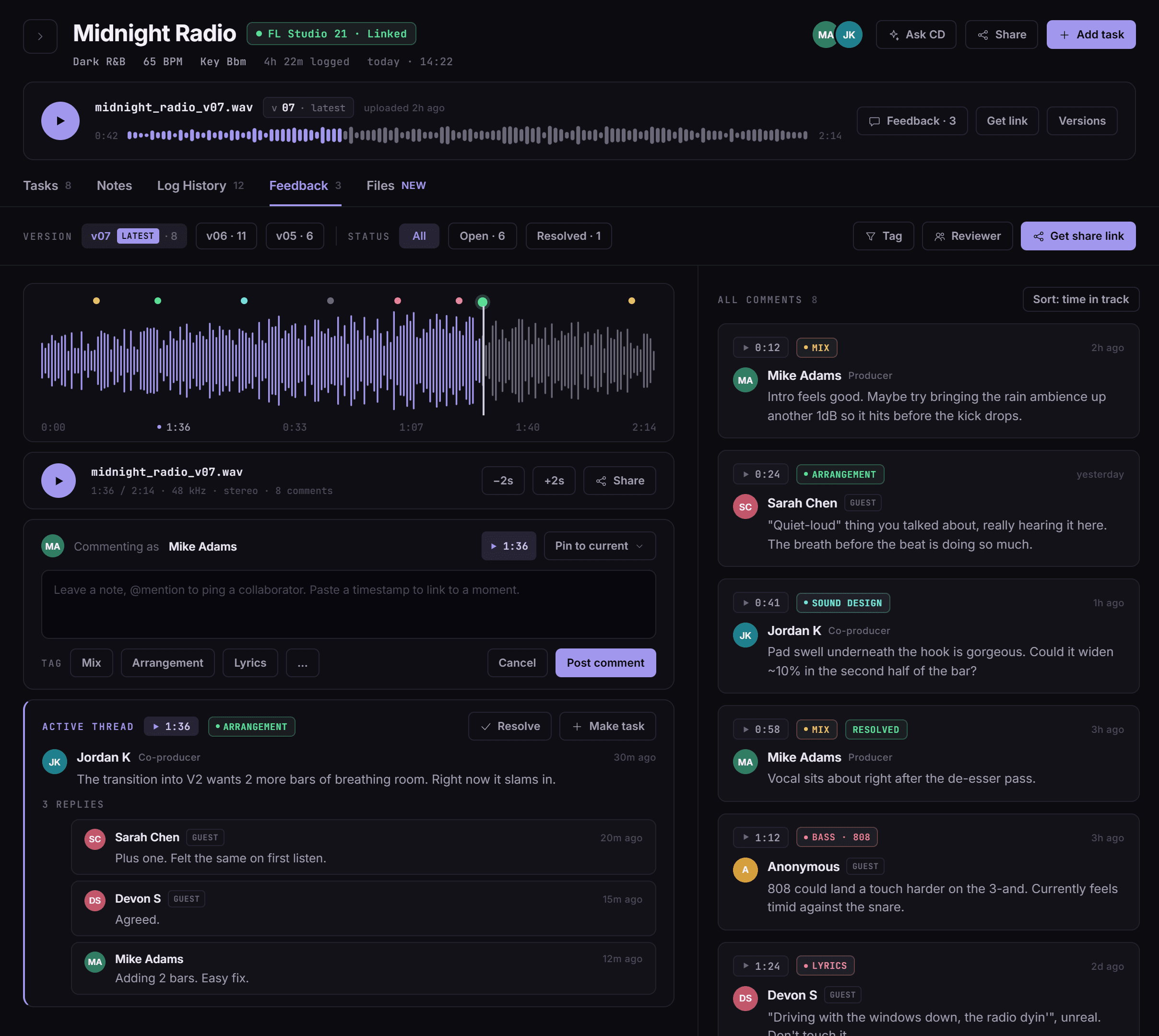
No account needed for guests. Comments land right on the waveform, at the exact moment they matter.